Racing Pop


About Racing Pop
What is Racing Pop?
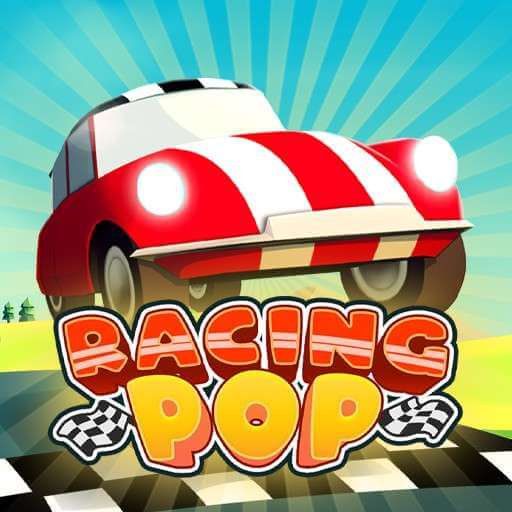
Racing Pop is a fast arcade racing game where every second matters. The game combines automatic driving with precise speed management. You control powerful cars through colorful tracks and try to finish each race with the fastest possible time. Master every road, improve your results, and build a stronger car collection.
Race through beautiful 3D environments in Racing Pop. Use smart acceleration, handle difficult curves, upgrade powerful cars, and challenge yourself across dozens of unique racing tracks.
Features That Keep the Competition Fresh
One-Button Action: The streamlined control system removes complex manual steering. You focus entirely on rhythm, timing, and throttle management through every winding section.
Massive Track Selection: Over 50 distinct circuits span five unique global environments. Each zone introduces fresh visual styles and tighter road layouts that demand adaptation.
Deep Vehicle Roster: A collection of 19 unlockable sports cars offers varied performance statistics. Switching vehicles alters acceleration, handling, and top speed limits across different circuits.
Comprehensive Garage Upgrades: Race rewards fund mechanical tuning. You upgrade critical vehicle parts.
Global Leaderboards: Competitive online rankings track record lap times worldwide
Core Mechanics and Track Objectives
Mechanics: Races take place on tight circuits filled with sharp turns. You race against the clock and computer drivers. Every track needs smart speed control instead of reckless pushing.
Detailed Driving Guide
The game uses basic controls. You hold the action button to speed up and let go to slow down.
- Straight Roads: Hold down the button to build top speed and save time.
- Sharp Curves: Let off the gas before a bend to keep your car steady.
- Corner Exits: Hit the gas right after clearing the turn to launch down the next straight.
- Garage Upgrades: Use race coins to boost tires, brakes, and engines.
Control Setup
PC Play: Hold the Left Mouse Button or Spacebar to go. Let go to slow down.
Mobile Play: Press and hold the Screen to go. Lift your finger to drop speed for turns.
Test your reflexes, master speed control, and burn rubber in Racing Pop right now!


















Discuss Racing Pop